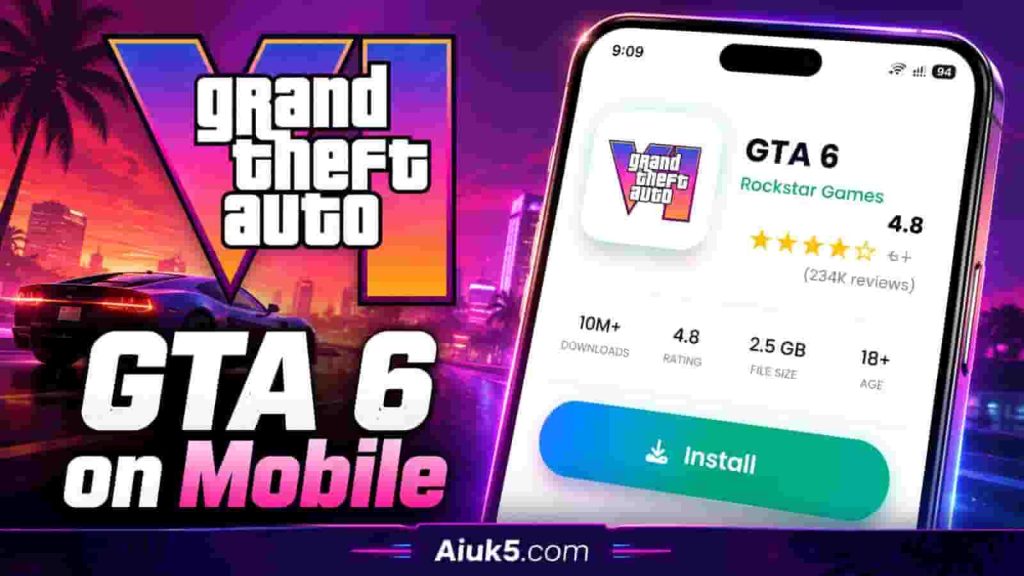
If you’re in the United States, you’ve probably seen posts promising GTA 6 on mobile with a quick download. Here’s the reality: Rockstar has officially announced GTA 6 for consoles, and most “phone release” chatter is driven by GTA 6 mobile rumors that scammers love to copy and repost.
This guide keeps it simple and safety-first. You’ll learn where Rockstar GTA 6 news shows up first, how to confirm an official GTA 6 updates post before you click, and what to do when a “GTA 6 iPhone” or “GTA 6 Android” ad looks suspicious. We’ll also cover safe ways to play GTA on phone while you wait, using legit options instead of risky files.
As you track each GTA 6 mobile update, think like a cautious shopper. If a link pushes an “early beta,” a sideloaded app, or a login page that feels off, pause. The safest path stays on trusted platforms, including official Rockstar channels, the Apple App Store, and Google Play.
Key Takeaways
- GTA 6 on mobile claims are mostly unverified, even when they look polished.
- Rely on Rockstar GTA 6 news from official accounts and trusted storefront announcements.
- Always confirm a GTA 6 mobile update before downloading or signing in anywhere.
- Be extra careful with GTA 6 iPhone and GTA 6 Android ads that push “beta access” or surveys.
- Skip sideloaded files and unofficial links; they’re a common setup for scams and malware.
- There are safe ways to play GTA on phone now, including official Rockstar mobile titles and remote play options.
What We Know About GTA 6 Mobile Release Rumors in the United States
In the U.S., Grand Theft Auto is more than a game series. It’s a pop culture event, and that attention spills into phones fast. That’s why searches spike when people ask about the GTA 6 mobile release date and scan social feeds for GTA 6 mobile rumors USA.
Mobile gaming also fits modern habits. Quick sessions, always-on notifications, and short clips can make a claim feel real within minutes. When a post says “GTA 6 mobile download,” many users click first and think later.
Why GTA 6 on iPhone and Android Is a Hot Topic
The biggest question usually sounds simple: is GTA 6 coming to iPhone? Right behind it is the twin question, is GTA 6 coming to Android. In a country where iPhone and Android split most of the market, even a hint of a port can trigger a wave of reposts.
Another reason is access. A console or gaming PC is a bigger buy, while a phone is already in your pocket. That gap fuels hope, especially when short-form videos show “gameplay” that looks close enough to be convincing.
What Rockstar Has Actually Announced vs. What’s Speculation
Rockstar Games has shared official announcements about GTA 6 through its own channels, and those updates tend to be clear and carefully timed. A mobile version, though, is not something to assume unless Rockstar spells it out. That’s why any claimed GTA 6 mobile release date should be treated as unverified until it matches what Rockstar publishes.
Speculation usually fills the silence. Posts mix real branding, recycled clips, and confident language to sound official. The result is a loud stream of GTA 6 mobile rumors USA that can drown out the basics: platforms, storefronts, and confirmed releases.
How to Spot Viral Hoaxes and “Too Good to Be True” Claims
Most scams follow a script. The hook is urgency, like “download now,” paired with exclusivity, like “invite-only beta.” From there, it often turns into a GTA 6 hoax download that routes you through ads, surveys, or a file prompt that doesn’t belong on a legit app store.
Watch for claims that don’t pass a quick reality check, such as “runs on any phone” or “no internet needed.” A GTA 6 fake mobile app may also ask for logins, card payments, or “human verification” steps that keep looping. Those patterns are a strong sign you’re being farmed for data, money, or both.
- Pressure tactics: countdown timers, “limited-time beta,” or warnings that you’ll lose your spot
- Unclear sourcing: no mention of Rockstar Games or Take-Two Interactive in a verifiable way
- Mismatch behavior: “install” buttons that lead to pop-ups, surveys, or repeated redirects
- Overpromises: “console-quality on any device” with no real store listing details
| Claim Style | What It Usually Looks Like | Fast Check Before You Tap | Common Risk |
|---|---|---|---|
| “Beta access ends tonight” | Countdown timer and “download now” language | Pause and look for matching statements from Rockstar Games | GTA 6 hoax download leading to survey loops |
| “Works on all iPhones and Androids” | Broad compatibility promises with no specs | Ask if the post explains performance limits and device requirements | Data harvesting and misleading installs |
| “Official mobile release date leaked” | A confident GTA 6 mobile release date with no primary source | Check whether it cites an official announcement, not a repost | Confusion that fuels more GTA 6 mobile rumors USA |
| “Install this app to play” | An unfamiliar icon using GTA artwork | Be wary of any GTA 6 fake mobile app outside standard store flows | Malware, unwanted subscriptions, or account theft |
| “iPhone/Android pre-order link” | Checkout pages, “reservation fees,” or sign-in prompts | Stop if asked for payment or credentials for “early access” | Fraud tied to is GTA 6 coming to iPhone and is GTA 6 coming to Android hype |
GTA 6 on Mobile Official Update Platforms and Safe Ways to Play
GTA 6 chatter moves fast, and it’s easy to confuse hype with facts. If you want official GTA 6 updates without the noise, build a simple routine: check the source, cross-check the platform, and only then act.

Best Places to Follow Real GTA 6 Mobile News
Start with GTA 6 mobile official platforms for announcements that can be verified and repeated. The Rockstar Newswire GTA 6 feed is the cleanest place to look for release windows, trailers, and statements that match Rockstar’s wording.
After that, compare what you see with verified Rockstar social posts and major platform storefront announcements. When a claim is real, it tends to show up in more than one place, with the same dates and details.
How to Verify Updates Before You Download Anything
Before you try to verify GTA 6 download claims, treat every “download now” button like a risk. A safe GTA download starts with an official store listing or an official statement that points you to where the game will be distributed.
- Confirm the announcement appears on Rockstar Games channels, including Rockstar Newswire GTA 6, using matching wording and media.
- Check whether PlayStation Store, Microsoft Store, Steam, or Epic Games Store shows the same update where it would normally appear.
- Avoid third-party download pages unless they route you back to an official storefront you already trust.
| Check | What “safe” looks like | What should make you pause |
|---|---|---|
| Source of the claim | Official GTA 6 updates shared by Rockstar channels and repeated by verified store pages | Random social posts, reposted screenshots, or “insider” claims with no matching official post |
| Where the download lives | GTA 6 mobile official platforms via Apple App Store or Google Play, with Rockstar as the publisher | Side-load pages, file hosts, or “direct install” buttons that bypass normal stores |
| Details and timing | Dates, trailer cuts, and wording line up across official channels and storefront listings | Conflicting release dates, vague “available today” language, or missing platform support info |
Why “Early Access APK/IPA” Files Are Usually a Trap
So-called early access files often lead to an APK trap on Android or an IPA scam on iOS. These packages can hide malware, credential theft tools, aggressive adware, or shady device profiles that change settings and track activity.
If GTA 6 ever lands on phones, a safe GTA download should come through normal app marketplaces with a verified publisher trail. Anything that asks you to install an “APK” or “IPA” first is a strong sign the page is trying to get something from you, not deliver a real game.
Official Rockstar Channels and Trusted Sources for GTA 6 Updates
When rumors spike, it helps to stick to sources that have a track record. A clean way to do that is to focus on official channels that can confirm timing, platforms, and policy details without the noise.
Use the same rule every time: if an update can’t be traced back to a primary source, treat it like a draft, not a fact. That mindset also makes it easier to spot lookalike pages and recycled screenshots.
Rockstar Games Website and Newswire
The Rockstar Games official site is where major details tend to land first, especially when there’s a trailer, a release window, or a platform note that needs exact wording. It’s also the safest place to check when a headline sounds sudden or extreme.
For ongoing posts, Rockstar Newswire is the go-to hub for official messaging, including event notes, updates, and clarifications. If a GTA 6 official announcement is real, you should be able to match it to the same language shown there.
Rockstar Social Accounts and Verified Posts
Rockstar verified social media accounts can be useful for quick confirmations, short clips, and reminders that point back to official statements. Always look for the platform’s verification markers and the consistent branding used across posts.
Impersonators often use near-identical usernames, copied avatars, and “link in bio” traps that push downloads or surveys. If a post claims a surprise build or “mobile access,” pause and cross-check it against the Rockstar Games official site before you tap anything.
Take-Two Interactive Investor Updates and Press Releases
Take-Two Interactive, Rockstar’s parent company, can also help confirm high-level facts. A Take-Two press release, earnings note, or investor deck may signal timing, business priorities, or milestones without getting into gameplay specifics.
It’s important to know what these updates won’t do: investor materials typically won’t provide a mobile download link or direct install steps. They’re better for validating broad direction and whether a claim fits the real corporate timeline.
PlayStation, Xbox, and PC Storefront Announcements
Storefront pages help validate whether a listing is legitimate and whether pre-orders or wishlists are live. If PlayStation Store GTA 6 appears, the product page should look consistent with other Sony listings, with clear edition info and standard purchase prompts.
The same logic applies to Xbox Store GTA 6, where official metadata, ratings details, and publisher fields can help confirm authenticity. For PC, keep an eye on Steam Rockstar updates because timing, system notes, and storefront text tend to reflect the most current approved wording.
| Source type | What it reliably confirms | What to ignore | Quick safety check |
|---|---|---|---|
| Rockstar Games official site | Trailers, release windows, platform statements, policy language | Reposted screenshots without matching site text | Compare the headline and wording to the current official page |
| Rockstar Newswire | Official posts, clarifications, and scheduled updates | “Leaked” summaries that skip dates and quotes | Look for consistent phrasing and the full post context |
| Rockstar verified social media | Fast confirmations, short announcements, reminders tied to official info | Accounts with similar names pushing “download now” claims | Check verification markers and review recent post history |
| Take-Two press release | Corporate timelines, major milestones, high-level strategy cues | Claims that a press item includes a direct mobile install link | Confirm the statement aligns with other official channels |
| PlayStation Store GTA 6 / Xbox Store GTA 6 | Legit product pages, real wishlists, real pre-order availability | Third-party “pre-order” pages that mimic store layouts | Use official storefront product pages, not ads or redirects |
| Steam Rockstar updates | PC availability signals, listing text changes, official timing cues | Key resellers claiming early access or private beta keys | Check publisher info and the standard Steam page structure |
Safe Ways to Play GTA-Style Games on Mobile While You Wait
If you’re craving games like GTA on mobile, the safest move is simple: stick to official storefronts. Use the Apple App Store for open-world crime games iPhone players can download with confidence, and use Google Play for open-world games Android users can vet fast. Skip “unlocked” builds and mod packs, even when they promise extra cash or hidden missions.
For the closest fit, check Rockstar mobile games that have been released on phones over the years. In the U.S., you’ll often see titles like Grand Theft Auto: San Andreas, Grand Theft Auto: Vice City, Grand Theft Auto III, Bully, and Max Payne, though availability can change by device and iOS or Android version. Before you install, confirm the publisher name in the listing and avoid look-alike apps with copycat icons.
If you want GTA alternatives mobile players can enjoy without stress, focus on reputable publishers and well-reviewed releases inside the same official stores. That route cuts down on shady permissions, surprise subscription traps, and fake “beta” prompts. It also makes refunds and support much easier when something goes wrong.
| Safe play choice | What to do on iPhone | What to do on Android | Why it helps |
|---|---|---|---|
| Download source | Install only from the Apple App Store | Install only from Google Play | Reduces the risk of tampered files and fake listings for open-world crime games iPhone fans and open-world games Android fans |
| Publisher check | Read the publisher line and check other apps they publish | Tap the developer name and review their catalog | Helps you spot copycats when searching Rockstar mobile games or games like GTA on mobile |
| Device updates | Turn on automatic iOS updates | Keep Android OS and Google Play system updates current | Closes security gaps that malware uses to target GTA alternatives mobile downloads |
| Account and lock screen | Use Face ID or Touch ID plus a strong passcode | Use fingerprint or face unlock plus a strong PIN | Protects payments, saved cards, and cloud accounts tied to open-world crime games iPhone and open-world games Android installs |
As a final safety habit, review permissions before you tap “Allow,” and remove apps you don’t recognize. Keep your device security features on, and use strong, unique passwords for your store account. With those basics, you can enjoy Rockstar mobile games and other GTA alternatives mobile players love, without gambling on risky downloads.
How to Avoid Fake GTA 6 Mobile Apps, Scams, and Malware
Phones are a prime target when hype is high. A fake GTA 6 app can look polished, rank in search ads, and still be built to trick you. The safest move is to slow down, read the listing, and treat anything “exclusive” with caution.
Common Red Flags in App Listings and Ads
Watch for sloppy details that don’t match a major release. Misspellings, odd punctuation, and recycled screenshots are common in a GTA 6 mobile scam. So are loud claims like “console-quality on any phone” or “play today with one tap.”
Be wary of ads that push a “special downloader” or ask you to install from outside the Apple App Store or Google Play. That detour is often where GTA 6 malware shows up, bundled with extra installs you didn’t request.
- Brand look-alikes that imitate Rockstar Games logos but don’t match a real publisher history
- Countdown timers and “limited beta slots” meant to rush your decision
- Listings that change names often, with new icons but the same screenshots
Permissions to Watch For on Android and iOS
Games usually don’t need deep device access to run. If a download asks for suspicious app permissions like SMS access, call logs, Accessibility services, device admin controls, or a VPN/profile install, that’s a serious warning sign. On iOS, be extra careful with prompts to add a configuration profile.
If the app won’t open unless you grant invasive access, uninstall it. Many phishing GTA 6 download setups rely on permissions to read data, overlay screens, or intercept messages that protect your accounts.
| Request | Why it’s a red flag for a game | Safer choice |
|---|---|---|
| SMS access or call history | Can capture verification codes or personal details | Deny and remove the app if it won’t work |
| Accessibility access | Can control taps, read screens, and steal credentials | Keep off unless you use it for a trusted accessibility tool |
| Device admin controls | Can block uninstalls or lock settings | Never grant for entertainment apps |
| VPN or configuration profile | Can route traffic or install managed settings | Only allow from a work or school IT program you recognize |
Fake Beta Invites, Survey Scams, and “Human Verification” Tricks
Scammers love “beta invite” pages that feel official. A survey scam GTA 6 flow often starts with “human verification,” then pushes steps like entering a phone number, enabling notifications, or creating an account to “unlock” the download.
Those steps can lead to subscription traps, identity theft attempts, or password harvesting. If you’re asked to install two apps before you can play, treat it as a GTA 6 mobile scam and back out.
- Close the page or app immediately.
- Don’t enter emails, phone numbers, or codes from text messages.
- Clear the browser tab and remove any apps you installed during the process.
How to Check Developer Names, Publisher Links, and App Reviews
Before you install, check the developer name and the publisher’s app history. A real publisher page shows a consistent catalog and stable branding over time. If the listing claims Rockstar Games but the developer name is unfamiliar, it’s likely a fake GTA 6 app.
Reviews can be gamed, so read them like a skeptic. Look for repeated phrasing, sudden bursts of five-star ratings, and comments that never describe real gameplay. If Rockstar Games didn’t post it on its official channels, treat it like a phishing GTA 6 download attempt and keep your device clean.
Best Official Platforms to Download Rockstar Games on Mobile
When it comes to an official mobile game download, the safest move is to stick with the store built into your device. That’s the cleanest path to download Rockstar games iPhone or download Rockstar games Android without guessing what’s inside the file.
A real listing should feel consistent: clear screenshots, a normal update history, and a publisher name that matches Rockstar Games. If anything looks rushed or vague, slow down and double-check the details before you install.
Apple App Store Safety Checks and What They Don’t Catch
Apple App Store safety benefits from a curated review process and strict rules for iOS apps. That structure helps cut down on obvious malware and shady installers when you download Rockstar games iPhone.
Still, not everything is perfect. Clones can copy a look, ads can mislead, and some apps lean on tricky subscriptions. Read the app description, scan in-app purchase notes, and confirm the publisher identity before you tap Get.
Google Play Store Protections and How to Use Play Protect
On Android, Google Play scans apps and updates for known threats. Turning on Google Play Protect adds another layer by checking apps and warning you about harmful behavior, even after install.
To keep it simple: use the Play Store, keep Google Play Services updated, and avoid “GTA 6 mobile” downloads pushed through pop-ups or social posts. That routine makes it much safer to download Rockstar games Android from the right source.
Why Sideloading APKs Increases Risk (Even If It Looks Legit)
Sideloading can bypass key store checks, which raises the APK sideload risk fast. A file can look real and still carry adware, a trojan, or a fake login screen that targets your Rockstar account.
Watch for pressure lines like “leaked build,” “test server,” or “region-locked—use this file.” If you want an official mobile game download, skip random APKs and stick to trusted storefront listings and normal update channels.
| Download path | What it helps with | What you still need to verify |
|---|---|---|
| Apple App Store | Reduces obvious malware through review, signing, and platform controls tied to Apple App Store safety | Publisher identity, subscription terms, and look-alike apps that mimic real Rockstar branding |
| Google Play Store | Automated scanning plus Google Play Protect alerts for risky apps and behavior | Developer details, app permissions, and misleading ads that push “early access” installs |
| Direct APK sideloading | Can install outside the store, but skips many protections | File origin, integrity, hidden payloads, and account theft patterns linked to APK sideload risk |
Cloud Gaming and Remote Play Options for GTA on Mobile
If you want a real Grand Theft Auto session on a small screen, streaming is the legit path. Instead of hunting for a “mobile version,” you can use play GTA on phone remote play to stream from hardware you already own. This approach keeps your game library intact and avoids sketchy downloads that promise the impossible.
Playing Through Console Remote Play on a Phone or Tablet
With PlayStation Remote Play GTA, your console does the heavy lifting while your phone or tablet acts like a display. You’ll need the game installed on your PlayStation, Remote Play set up, and a stable home network. It feels like normal play, just streamed to iOS or Android.
Xbox Remote Play GTA works in a similar way through the Xbox app, using your Xbox console as the host. Game ownership, console power settings, and network quality all matter. It’s not a native app release, but it can deliver a full session when your setup is tuned.
Some players also look at cloud gaming GTA options where available, since they can reduce the need to be near your console. Performance can vary by region, time of day, and the service’s current load.
Controller Support, Wi‑Fi Requirements, and Data Usage Tips
Touch controls can get old fast in high-speed missions, so a controller for iPhone Android gaming is worth it. A Bluetooth controller also helps with aiming, driving, and quick inputs. It keeps the experience closer to what you expect on a TV.
For smoother streaming, strong Wi‑Fi matters more than raw internet speed. Aim for a 5 GHz connection, keep your console wired to the router if possible, and avoid heavy downloads during play. If you switch to cellular, watch your plan closely because video streams can burn through data quickly.
| Setup choice | Best use case | What affects smooth play | Data notes |
|---|---|---|---|
| PlayStation Remote Play GTA | Streaming from your PlayStation at home or nearby | Console wired Ethernet, router quality, 5 GHz Wi‑Fi, low network traffic | On Wi‑Fi it’s manageable; on cellular it can spike quickly during long sessions |
| Xbox Remote Play GTA | Streaming from your Xbox with the Xbox app | Power settings on console, NAT type, Wi‑Fi signal strength, device decoding speed | Higher video quality can raise usage fast; set quality lower when away from Wi‑Fi |
| cloud gaming GTA | Playing when you’re not near your console (service availability varies) | Server distance, peak hours, app stability, controller pairing, latency | Often the highest data demand; short sessions help if you’re on a cap |
Account Security: 2FA, Password Managers, and Phishing Prevention
Streaming is only safe if your accounts stay locked down. Turn on secure gaming accounts 2FA for PlayStation Network and Microsoft, and secure your email account too. That way, a stolen password alone won’t be enough to take over.
Use a reputable password manager to create unique logins for Sony, Microsoft, Apple ID, and Google. Be wary of messages that claim “instant mobile access” or “GTA 6 phone invite,” then push you to sign in. Those phishing pages are designed to grab credentials and can spread fast through social posts and DMs.
Conclusion
If you’re in the United States and want GTA 6 on mobile safe, stay skeptical of any “instant download” claim. Real release news will show up as Rockstar official news and also match what you see on official storefronts. When in doubt, wait for clear, consistent details from sources that can be verified.
For official GTA 6 updates, focus on Rockstar Newswire and verified social posts, then cross-check with Take-Two Interactive press releases and console or PC storefront announcements. This extra step takes minutes, but it helps you avoid GTA 6 scams that copy logos, trailers, and even screenshots. If the story changes fast or the details don’t match, treat it as noise.
Avoid “early access” APK/IPA files and survey-style beta invites, even if they look polished. Those are common paths to malware, stolen logins, or risky app permissions. Keeping your device clean and your accounts secure matters more than being first.
While you wait, stick to safe ways to play GTA on phone through official Rockstar mobile releases where available, or legitimate remote play and cloud gaming options when supported. If a link pressures you to act now, asks for a strange login, or requests unusual access, close it and check Rockstar official news first.